
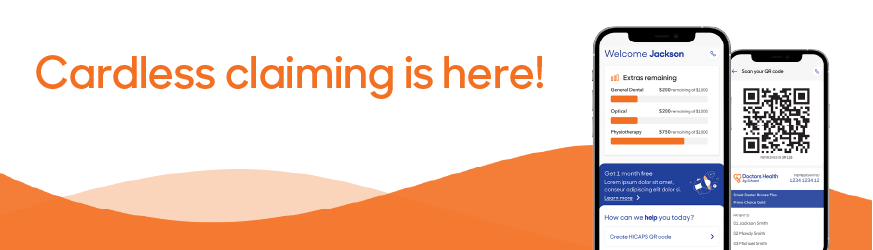
Cardless claiming
Many of you told us you wanted a simpler, more convenient way to claim your health benefits—without the hassle of carrying a physical card.1
We heard you, and we’re excited to introduce our new cardless claiming option!
Now, you can claim on-the-spot at extras providers with HICAPS terminals using a secure QR code within your Doctors’ Health Fund app.
HICAPS (Health Industry Claims and Payments Service) is Australia’s leading system for processing health claims electronically. Many healthcare providers use HICAPS, which means you can scan your digital QR code and have your claim processed on-the-spot at many places.
1. Update or download the app
- If you don’t already have the Doctors’ Health Fund app, head to the App Store or Google Play to download it. You can register for online access once you open the app or through our website.
- Already have the app? Make sure you’ve updated to the latest version to access digital claiming.
2. Create your digital QR code
There are two easy ways to access your QR code in the app:
- Log into the app and tap ‘Create HICAPS QR code’, or
- Log in, tap the ‘Profile’ icon, then select ‘Create HICAPS QR code’.
For your security and protection, your QR code automatically refreshes every five minutes.
3. Tap to claim
- Scan your QR code at the provider terminal2 until you hear a beep.The provider will let you know if your claim has been approved. If applicable, you’ll only need to pay if there is a gap amount or if your benefit limit has been reached.
If you’re claiming on behalf of another person on your policy, please let the provider know who the claim is for and their position number on the QR code screen.
Things you should know about cardless claiming
Who can use it?
Cardless claiming is accessible to the primary policyholder and spouse+ with a supported Apple or Android mobile device3.
Parents or guardians can claim for dependants on their policy by using the QR code when accompanying them at the provider. However, if the parent or guardian is not present, the dependants will need to continue using their physical card.
What if my provider doesn’t use HICAPS?
If your extras provider isn’t connected to the HICAPS Trinity terminal necessary for QR code claiming, no worries:
- You can still use your physical card, or
- Pay upfront and then simply claim your benefit back by:
• Submitting via the Doctors' Health Fund app (available via the App Store or Google Play),
• Using the Online Member Services portal or
• Completing a claim form and emailing it to info@doctorshealthfund.com.au or posting it to PO Box Q1749, Queen Victoria Building, Sydney NSW 1230.
How can I activate my QR code?
No extra steps needed! Once you have the latest version of the app (which often updates automatically), your QR code will be ready to use.
What if I have issues with my QR code or need help troubleshooting?
Our friendly team is here to help. If you need support with your digital QR code or have any issues with the app, you can call us on 1800 226 126, Monday to Friday from 8.30am to 6.00pm NSW time (excluding public holidays).
Important notes
- Back to footnote 1
The Doctors’ Health Fund QR code claiming option is available to primary policy holders and spouses with online access to the account. Dependants on the policy are unable to access the QR code independently.
- Back to footnote 2
Android and Apple users with a supported device can scan the QR code on their digital card at providers with HICAPS Trinity payment terminals.
- Back to footnote 3
Supported Apple devices run at least iOS 15.1. Supported Android devices run at least Android 10.